Table of Contents
- How does the license key registration process work?
- What happens if I cancel my subscription or when it runs out?
- On how many websites can I use one license key?
- The support for my lifetime license ran out. How can I receive customer support?
- How do I deregister a license key?
- Where to find my invoice and how to start a VAT refund after purchasing?
- Why retire the One-Time license?
- What is the Scale plan?
- I have a One-Time license. Do I have to switch today?
- How does the Scale plan save me money?
- Who is the Scale plan for?
- I only handle 1–3 sites, any lighter pricing plan options?
- What happened to the Professional plan?
- Isn’t the retirement of the one-time license just about charging more?
- Why did you remove Slider Revolution from CodeCanyon?
- I already bought on CodeCanyon—how do I keep getting updates?
- I already bought on CodeCanyon—will I have to pay again?
- Need help importing your license?
- I received Slider Revolution bundled with a WordPress theme. Can I still upgrade to access Premium features?
- How to add my address and VAT number to my invoice?
- What payment methods can I use?
- What happens if my subscription runs out?
- The support for my (legacy) lifetime license ran out. How can I receive customer support?
- Can I use Slider Revolution for commercial projects?
- I want to include Slider Revolution in my theme. Which license do I need?
- I purchased a license. How do I get started with Slider Revolution?
How does the license key registration process work?
- Copy an unused license key to the clipboard (click the copy icon).
- Log into the WordPress backend where Slider Revolution / Essential Grid is installed.
- Scroll down on the main overview pages of Slider Revolution / Essential Grid until you come to the license registration area.
- Paste the license key into the field and confirm. There will be a success message if the license key was registered successfully.
- In your License management dashboard, click the refresh icon next to the domain field. The domain that you registered this license key with should appear.
What happens if I cancel my subscription or when it runs out?
If you cancel your subscription, you will continue to have full access to all Premium features for the registered license keys
that belong to this subscription, until the subscription runs out.
If a subscription runs out, all license keys that belong to this subscription will lose access to premium features.
By renewing an expired subscription you can restore premium feature access to the subscriptions license keys.
On how many websites can I use one license key?
You can use one license key on one website domain.
In addition, each license key can be used on a localhost installation for staging purposes.
If you want to reuse a specific license key that has already been registered on another domain, you need to deregister it first.
The support for my lifetime license ran out. How can I receive customer support?
In order to receive access to our Ticket support, you can purchase a one license subscription.
This will grant you access for one year or until you cancel the subscription and it expires.
You can also consult our constantly updated Help Center which will provide quick answers to almost any issue.
How do I deregister a license key?
In order to deregister a license key to be used on a different domain, click the “reset key” button next to a license domain field.
Note that if you deregister a license key, this domain will lose access to all Premium features.
Where to find my invoice and how to start a VAT refund after purchasing?
Every purchase has it’s unique invoice. Here is how to find your invoice and how to submit your VAT number, if needed: /faq/vat-refund/
Why retire the One-Time license?
Sales of the €85 “buy-once” Starter plan have fallen 70% since 2020.
A big shift has happened: Most web pros now prefer one affordable subscription that issues a fresh key for each new site with one click, so they don’t have to purchase a separate €85 licence every time. Our new yearly plans match that reality, giving you a much lower cost per site while letting us keep Slider Revolution fast, secure, and full of fresh templates.
What is the Scale plan?
Scale = 100 site activations for €239 / year. One predictable yearly fee covers every new client project you launch until you reach the 100-site limit—no surprise fees and clear seat rules.
(There is a fair-use ramp-up: You get up to 10 new domains per month in the first 90 days, then 20 per month after that. That way, nobody can burn through all 100 seats overnight.)
I have a One-Time license. Do I have to switch today?
No. Your current One-Time key stays valid on every site you’ve already activated, and we’ll keep shipping SR 6 updates.
What changes: With the One-Time plan disappearing from the shop, you’ll need a yearly key to license any new sites.
How does the Scale plan save me money?
| Sites you launch per year | Cost with Scale | Cost with separate One-Time keys | Yearly savings |
| 5 | €239 | €425 | €186 |
| 10 | €239 | €850 | €611 |
| 20 | €239 | €1.700 | €1.461 |
| 36 | €239 | €3.060 | €2.821 |
| 100 | €239 | €8.500 | €8.261 |
Even freelancers who build 10 sites a year save more than €600 from their annual license spend.
Who is the Scale plan for?
- Agencies & freelancers who launch multiple WordPress sites every month.
- Maintenance pros who keep a roster of legacy clients happy.
- Plugin & site builders who spin up lots of installs—Scale issues a fresh key for every activation, so projects stay organised without juggling dozens of purchases.¹
¹ Theme-bundling or reselling the license isn’t permitted; each key must be used on a site you directly manage, in line with ToS § 4.8.
I only handle 1–3 sites, any lighter pricing plan options?
Yes:
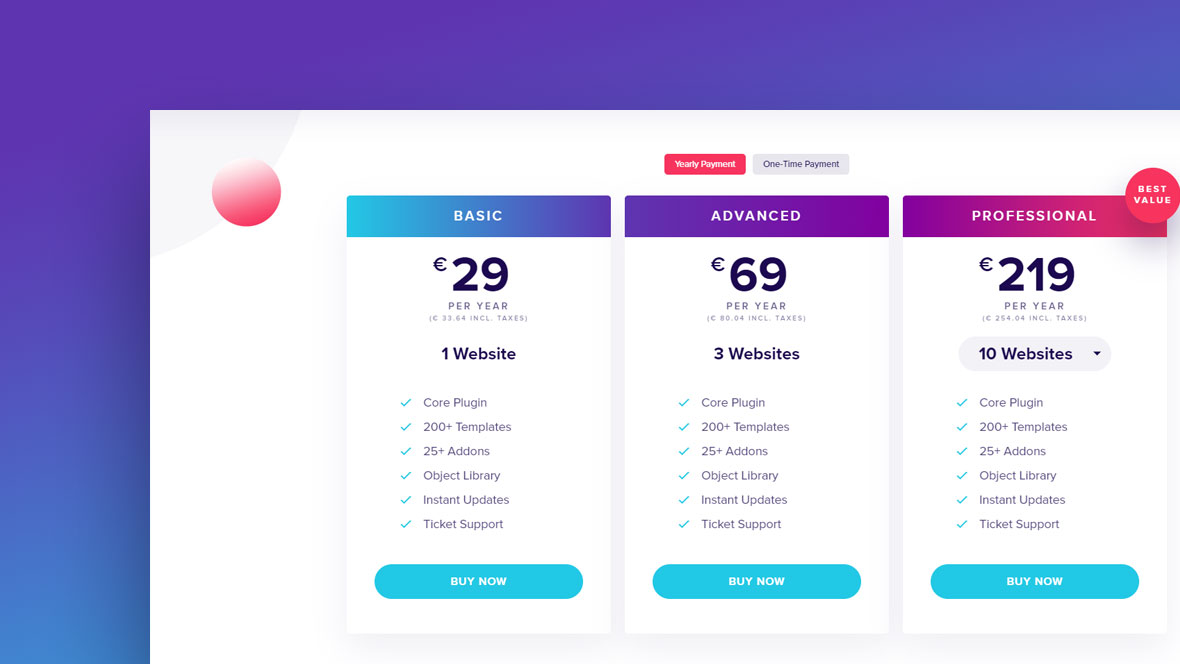
- Starter – 1 site, €35 / year
- Enthusiast – 3 sites, €89 / year
What happened to the Professional plan?
Hard truth: almost nobody bought it.
A 100-site Professional pack cost €5.333—vs. €239 for Scale.
Retiring it and folding its perks into Scale keeps choices simple and prices fair.
Isn’t the retirement of the one-time license just about charging more?
It’s about giving great value back to users who previously chose One-Time keys:
- Lower per-site cost (from €85 down to as little as €2.39).
- Continuous updates and templates instead of a “frozen” license.
- One key that grows with your business rather than buying a new one each time.
- One subscription, unlimited activations up to 100 site keys—no new €85 purchase each time you want to add a new site.
By pooling resources through an affordable subscription, we can keep SR 6 dependable and evolving for everyone.
Ready to Scale?
Cover up to 100 projects for less than the cost of one fancy coffee per site—and keep building cinematic web experiences with confidence.
Let’s create something unforgettable together!
Why did you remove Slider Revolution from CodeCanyon?
Moving direct-to-site lets us:
- Ship updates faster – no marketplace approval delays.
- Keep support and licenses in one place – everything lives in your SR dashboard.
- Offer plans that fit every customer type –
• Solo site owners & hobby projects
• Freelancers with a small client roster
• Agencies & power users who launch 10 + sites a year
Envato helped us grow, but direct distribution means a better experience for everyone.
I already bought on CodeCanyon—how do I keep getting updates?
It’s a two-minute, one-time transfer:
- Log in – or click “Sign in with Envato” to create an account automatically at
https://account.sliderrevolution.com/portal - In the dashboard, choose Licenses → Import CodeCanyon License
- When prompted, sign in with Envato. We’ll detect every “Slider Revolution Responsive WordPress Plugin” purchase and pull it in.
- Done! Your license now lives in our system.
Important: Your existing license key will keep working exactly as it always has.
Once imported, updates are available automatically inside WordPress — no need to log in or manually download anything every time.
If you have your own update system in place, it will keep working too.
I already bought on CodeCanyon—will I have to pay again?
No. Your original CodeCanyon license stays valid for every site you already activated. Importing it is free and only changes how you receive updates.
Need help importing your license?
First, check the step-by-step article in our FAQ: /faq/how-to-import-codecanyon-licenses/
Still stuck? Tap the chat bubble in your dashboard—real humans reply within 12 hours.
I received Slider Revolution bundled with a WordPress theme. Can I still upgrade to access Premium features?
Yes! If you want to access all premium features like the template library, addons, object library, updates and customer support, you can opt-in to one of our licensing plans.
Choose the plan you prefer above, buy the license, and then add the license information into your WordPress plugin.
How to add my address and VAT number to my invoice?
Please follow this article from our FAQ section that was written with the VAT refund in mind but actually covers this topic too: /faq/vat-refund/
What payment methods can I use?
We are using the secure and widespread payment processor Paddle. We currently support credit cards, PayPal and Apple Pay.
What happens if my subscription runs out?
If you cancel your subscription and it runs out, you will lose access to the Slider Revolution premium features like the template library, addons, object library, plugin updates, and customer support.
Renewing the subscription for this particular domain will let you regain access to all the features.
The support for my (legacy) lifetime license ran out. How can I receive customer support?
In order to receive access to our Ticket support, you can purchase a one license subscription.
This will grant you access for one year or until you cancel the subscription and it expires.
As long as you have at least one active subscription in your account, you will be eligible for our Ticket support.
You can also consult our constantly updated Help center which will provide quick answers to almost any issue.
Can I use Slider Revolution for commercial projects?
Yes. Slider Revolution, including all templates and assets, can be used in your commercial projects.
Please take a look at our Terms & Conditions for more information.
Learn more about Slider Revolution in our Help Center.
I want to include Slider Revolution in my theme. Which license do I need?
Bundling Slider Revolution with a theme/template can be done with a 1 website subscription.
Please read more on our Licensing page.
I purchased a license. How do I get started with Slider Revolution?
Our powerful Help center offers all kinds of resources to answer any question you might have about Slider Revolution:
The brand new manual, FAQs, video tutorials, definitions, version history, and support ticket center will make sure you are not feeling stranded at any point.
For beginners, we recommend starting with the Quick Setup part of our manual.