Table of Content
Installation
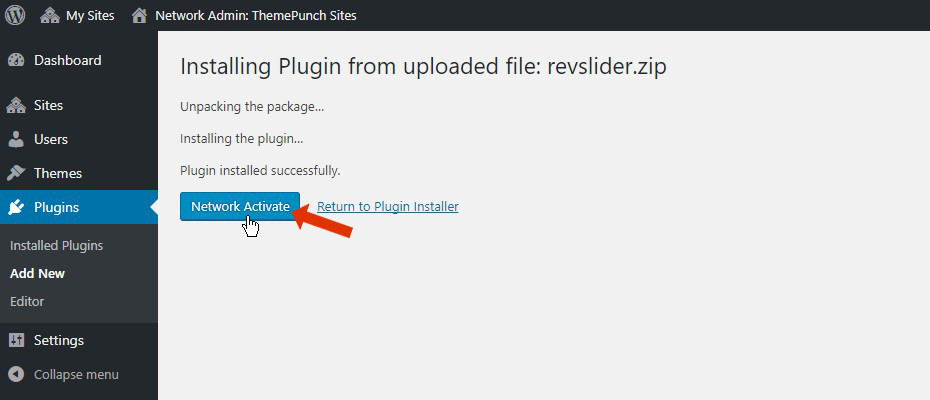
Navigate to Network Admin > Plugins > Installed Plugins and click “Add New”.

Click “Upload Plugin”.

Click “Choose File”, and then select the “revslider.zip” file from the plugin’s main download folder.

Click the “Network Activate” link.

Activation
Important Note:
One “Regular License” is required for each individual Website inside the WP Multisite network. Refer to this link for more information regarding licensing
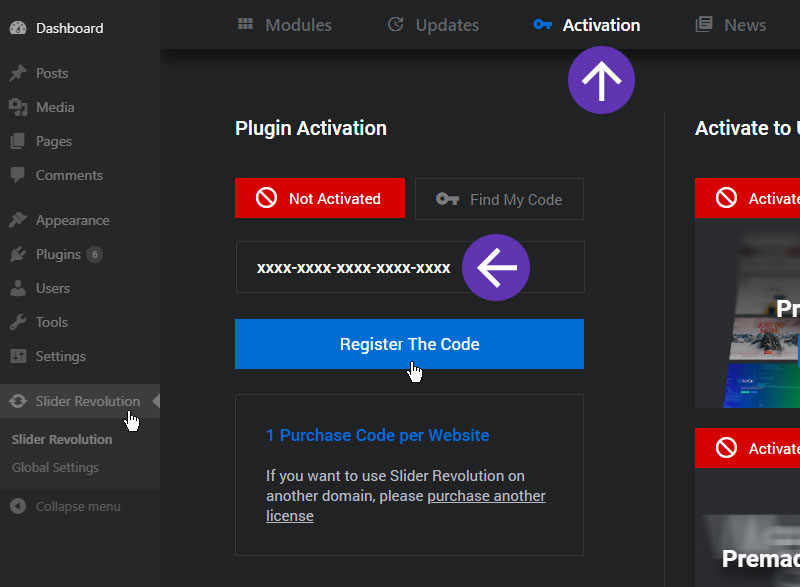
Select the Website Dashboard that you wish to activate RevSlider.

Insert your purchase code and activate RevSlider.
Updates
Important Note:
Plugin updates can only be performed on the Primary Site. A Primary Site can be easily identified on the Multisite Site lists, it is usually displayed on the top and it cannot be removed/deleted.
Go to Network Admin > Sites > All Sites and edit the Primary Site.

Navigate to RevSlider Dashboard and click “Update Now”