In the WP Rocket > File Optimization > JavaScript Files > Load JavaScript deferred option, insert the keywords listed below into the textbox provided as shown in the attached screenshot below:
/jquery-?[0-9.]*(.min|.slim|.slim.min)?.js
/wp-includes/js/jquery/jquery-migrate.min.js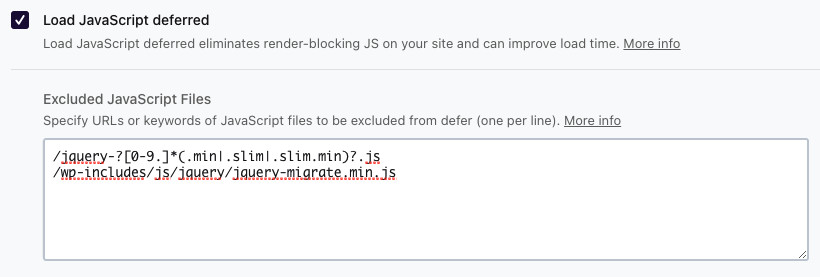
Then, in the WP Rocket > File Optimization > JavaScript Files > Delay JavaScript execution option, insert the keywords listed below into the textbox provided as shown in the attached screenshot below:
/jquery-?[0-9.]*(.min|.slim|.slim.min)?.js
/wp-includes/js/jquery/jquery-migrate.min.js
/plugins/revslider/public/assets/js/
setREVStartSize
rev_slider_
revslider_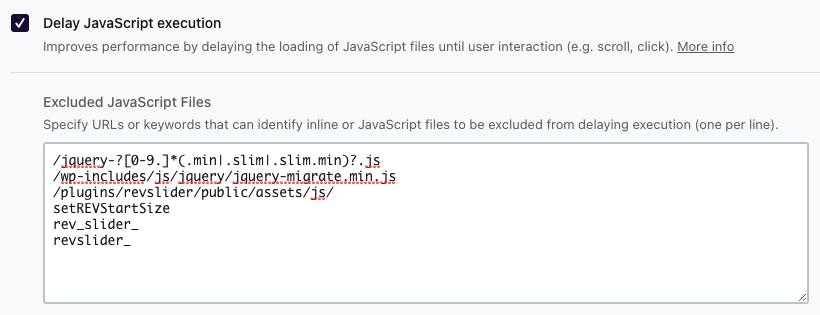
Reference: https://docs.wp-rocket.me/article/1634-using-revolution-slider-with-wp-rocket
If you’re still encountering any difficulty, don’t hesitate to contact our support team via support ticket or email (help@sr6archive.sliderrevolution.com), we’re always happy to help.
WP Rocket File Optimization Setup