With the recent update of Slider Revolution to version 6.5.xx, a compatibility issue with WPBakery Visual Composer has been discovered that may cause a module to shift to the left.
To get your module’s layout to behave as you expect, make the following quick adjustment in WPBakery.
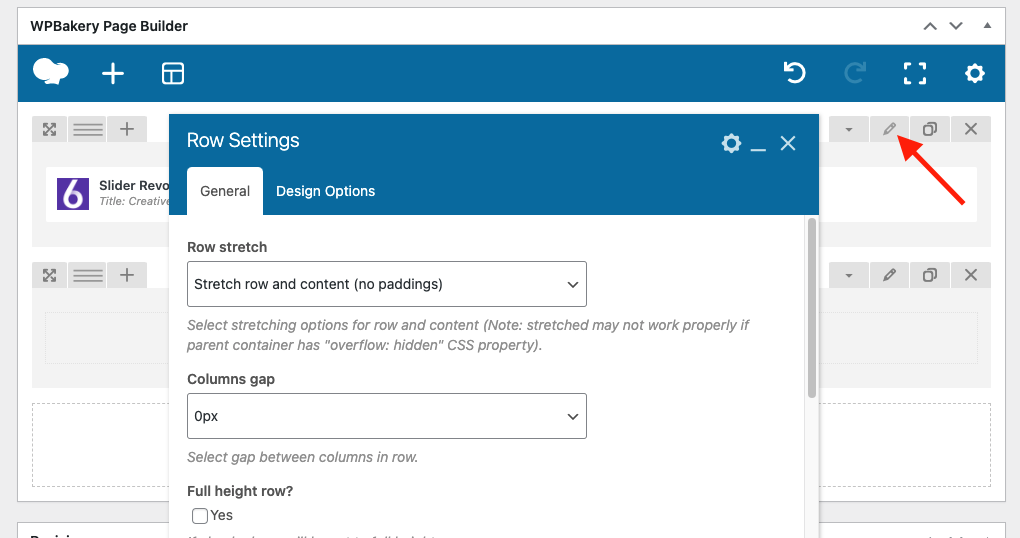
In the WPBakery Page Builder, edit the Row Settings for the Slider Revolution module in question, as shown in the attached screenshot below:
Change the Row Stretch option to Default:
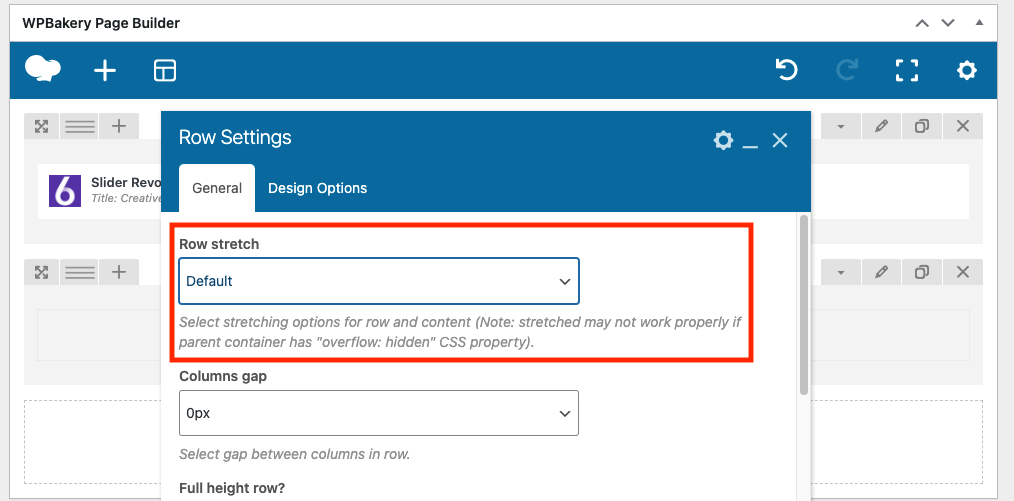
After making this change your module’s layout should return to normal.
If you’re still encountering any difficulty, don’t hesitate to contact our support team via support ticket or email (help@sr6archive.sliderrevolution.com), we’re always happy to help.
Is Your Slider Shifting to the Left with WPBakery? Here’s the Fix.