Table of Contents
- What happens if my Slider Revolution license is deactivated?
- What are the reasons for a license to be deactivated?
- How to renew my deactivated Slider Revolution license?
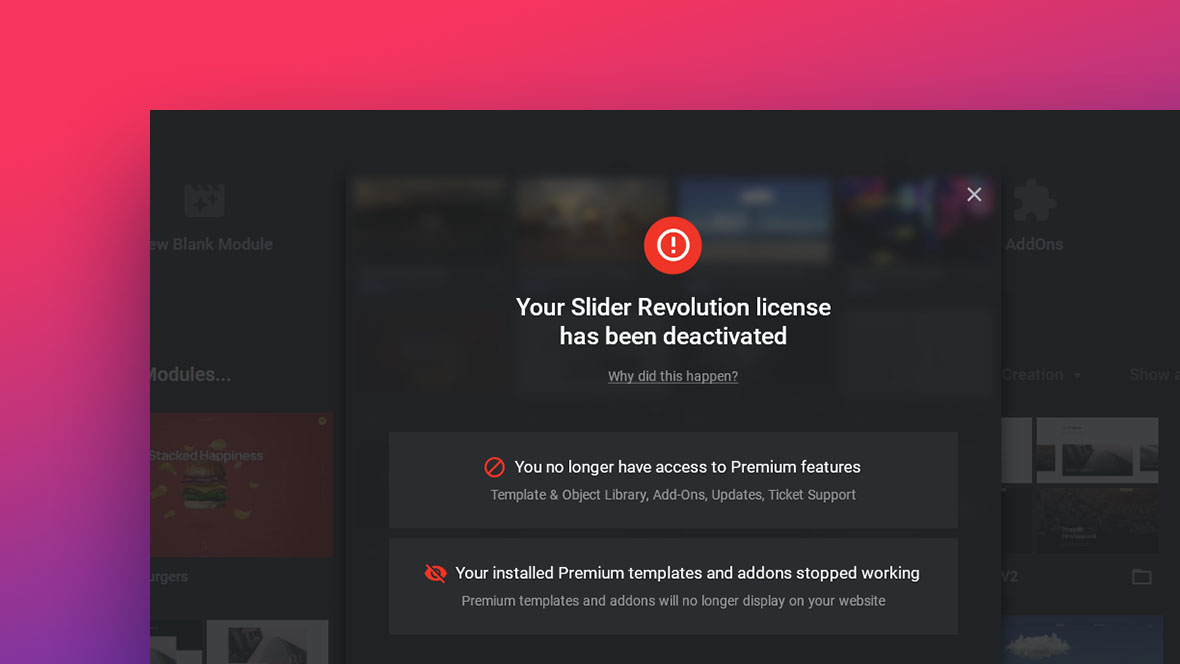
What happens if my Slider Revolution license is deactivated?
You will no longer have access to Slider Revolution Premium features on the website where this license key was registered.
Premium features include:
Template library, object library, add-ons, ticket support, and updates.
Your installed Premium templates and addons will also stop working and will no longer display on your website.
What are the reasons for a license to be deactivated?
1. You manually deregistered your license key
It’s possible to do so in the Slider Revolution WordPress admin area or your license management dashboard.
This will cause the license to be deactivated on the corresponding website.
2. You deregistered/registered your license key too many times in a short time
This can cause your license key to get locked. Learn how to unlock it here.
Each license key can be used to unlock all Premium features on ONE domain plus staging sites and localhost environments.
3. You manually canceled your subscription
This can be done in the license management dashboard.
If the remaining subscription time ran out without the subscription being manually renewed, it will be paused (and the license deactivated).
4. For subscriptions: Your payment method failed
We will inform you about your automatic license renewal 7 days and 2 days before it takes place, to give you time to update your payment method or cancel your subscription.
If the saved payment method fails after 3 retries (3, 5, and 7 days after your license renewal date), this subscription will be paused (and the license deactivated).
5. Domain/migration reasons
Your Slider Revolution license can also be deactivated automatically when doing the following:
- You copied your database from one server to another
- There are multiple domains that refer to the same WordPress installation
- You switched the domain of your WordPress installation
The above problems can be remedied by simply deactivating the domain in your member dashboard and then re-activating the Slider Revolution license on your website’s new domain.
6. Multiple Domains pointing to one WordPress installation (Multilanguage Websites)
Please contact our support team to look into your special case and we will find the fitting solution.
How to renew my deactivated Slider Revolution license?
You can find an easy step-by-step guide on how to update your payment method and how to renew your Slider Revolution license here.